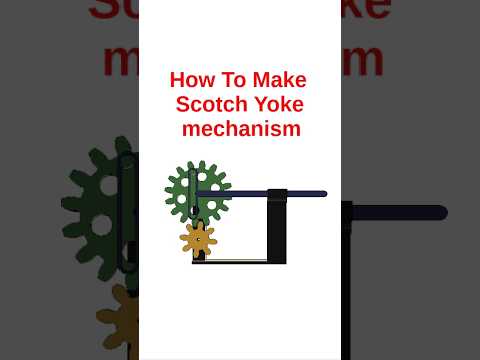
Are you looking to enhance your 3D modeling skills with a practical mechanical design project? Autodesk Fusion 360 is one of the most powerful and accessible CAD tools available today for engineers, designers, and hobbyists alike. In this beginner-friendly tutorial, we will walk you through the process of designing a classic mechanical assembly: the Scotch Yoke mechanism.
What is a Scotch Yoke Mechanism?
The Scotch Yoke is a reciprocating motion mechanism that converts linear motion into rotational motion, or vice versa. It is commonly used in internal combustion engines, control valve actuators, and high-pressure gas compressors. Building this mechanism in 3D CAD is a fantastic way to master constraints, sketches, and joint relationships within the Autodesk design ecosystem.
Step 1: Designing the Base and Crank Component
Start by launching your software and creating a new component. Sketch a simple mounting base to hold the mechanism in place. Next, create a rotating disk (the crank) attached to the base using a Revolute Joint. Place a cylindrical pin near the outer edge of the crank disk. This pin will drive the sliding motion of the yoke.
Step 2: Creating the Slotted Yoke and Linear Guide
Create a second component for the yoke itself. Sketch a T-shaped or rectangular frame with a vertical slot through its center. The slot must be wide enough to comfortably fit the crank pin. Add a slider guide to restrict the yoke to strictly horizontal motion.
Step 3: Applying Joints and Motion Linkage
Now comes the magic of mechanical animation in Autodesk Fusion 360: 1. Apply a Pin-Slot Joint between the crank pin and the vertical slot of the yoke. 2. Apply a Slider Joint between the yoke and the base guide. 3. Test the motion by dragging the crank. You should see a smooth, continuous conversion of circular motion into linear back-and-forth movement!
Conclusion
Creating a Scotch Yoke mechanism is an essential milestone for anyone learning parametric CAD design. By following these basic steps, you gain hands-on experience with sketching, joint constraints, and assembly motion. Keep practicing with different mechanical assemblies to unlock your full 3D modeling potential!


