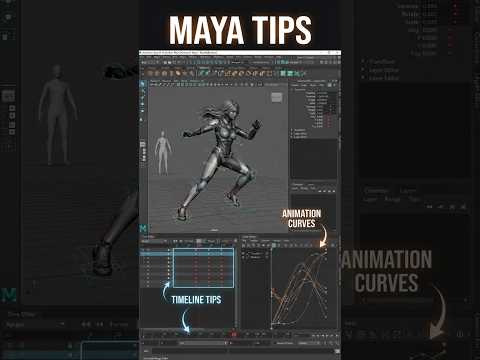
In the fast-paced world of 3D animation, efficiency is just as important as creativity. Whether you are working on a feature film or a personal project, the ability to shave seconds off repetitive tasks can save you hours over the course of a week. For those using Autodesk Maya, the software’s deep functionality often hides simple tricks that can significantly improve your daily output.
In this guide, we are breaking down two powerful tips that every animator should integrate into their toolkit to make their workflow faster, smoother, and more intuitive.
1. Master the Power of Selection Sets
One of the biggest time-wasters in animation is constantly hunting for specific controls on a complex character rig. Instead of clicking through a crowded viewport, you should utilize Quick Select Sets.
By selecting the specific joints or controllers you use most often and navigating to Create > Sets > Quick Select Set, you can create a one-click shortcut to your most-used nodes. This allows you to jump between hands, feet, and facial controls instantly. Integrating this into your Autodesk workflow ensures that you spend less time clicking and more time posing.
2. Utilize the Middle Mouse Button for Fast Tweaks
Many beginners overlook the versatility of the Middle Mouse Button (MMB) in the Graph Editor and the Viewport. If you need to move a keyframe in time or change its value without accidentally altering other axes, the MMB is your best friend.
By holding "Shift" and using the MMB, you can constrain your movements to either the horizontal (time) or vertical (value) axis. This precision prevents "slipping" in your animation curves, keeping your motion clean. This is a hallmark of professional-grade work in Autodesk Maya—knowing how to manipulate data with minimal friction.
Conclusion
Animation is a marathon, not a sprint. By implementing these two simple tips, you can reduce technical frustration and keep your creative momentum flowing. Mastering these small details within the software is what separates hobbyists from industry professionals.
Stay tuned for more insights on how to leverage Autodesk tools to bring your digital characters to life with ease and precision!


