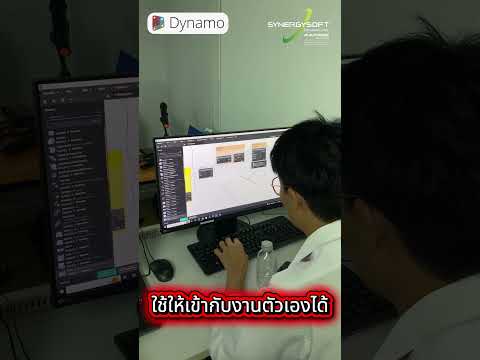
Are you still spending hours manually updating Revit parameters, renumbering sheets, or placing hundreds of families one by one? In the fast-paced world of Building Information Modeling (BIM), manual labor is the enemy of efficiency. If you find yourself performing the same repetitive clicks every day, it is time to rethink your process.
The Hidden Cost of Manual Workflows
Most Revit users begin their journey by clicking, dragging, and typing data manually. While this approach works for small projects, it quickly becomes a bottleneck as project complexity grows. Every manual edit is an opportunity for human error, and every hour spent on tedious tasks is an hour stolen from actual design and high-level problem-solving. In a competitive industry, losing time to "busy work" is a cost no firm can afford.
Enter Autodesk Dynamo: The Automation Powerhouse
This is where Autodesk Dynamo changes the game. As a powerful visual programming extension for Revit, it allows architects and engineers to create custom logic to automate repetitive tasks without needing to learn complex coding languages. Think of it as a bridge between your creative intent and Revit’s data-heavy environment.
By implementing Autodesk Dynamo, you can build scripts that handle the "boring" parts of BIM. Whether it’s extracting data for schedules, managing complex geometry, or synchronizing information across multiple models, automation ensures that your project stays on track and error-free.
Key Benefits of Transitioning to Automation
- Drastic Time Savings: Tasks that typically take hours—such as updating door schedules across fifty floors—can be completed in seconds with a single script.
- Unmatched Accuracy: Manual data entry is prone to mistakes. Once a script is set up, it performs the task perfectly every time, ensuring data integrity across your entire model.
- Enhanced Creative Freedom: When you aren't bogged down by administrative Revit tasks, you have more time to focus on what actually matters: designing great buildings.
Scaling Your Expertise
The transition from manual modeling to computational design is the hallmark of a modern BIM professional. By leveraging Autodesk Dynamo, you aren't just working faster; you are working smarter. You can scale your workflows to handle massive commercial projects with the same ease as a small residential build.
Stop wasting your expertise on mundane clicks. Embrace the power of automation and transform your Revit experience from a manual struggle into a streamlined, high-efficiency powerhouse.


