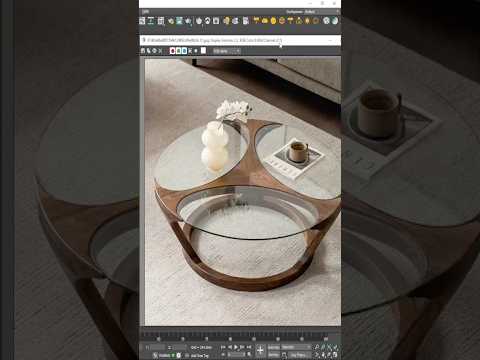
In the world of architectural visualization, furniture modeling is a fundamental skill that separates the amateurs from the professionals. Whether you are designing a high-end living room or a minimalist office space, a centerpiece like a glass coffee table adds a touch of elegance and realism to your renders. In this guide, we will explore the essential steps to create a stunning, modern glass table using the powerful tools available in Autodesk 3ds Max.
Setting the Foundation with Precise Geometry
Every great 3D model starts with a solid foundation. Before you begin extruding faces, it is crucial to set up your units and scale correctly to ensure the furniture fits perfectly within a scene. Start by creating the base frame using primitive objects like boxes or cylinders. By converting these primitives into an "Editable Poly," you gain full control over the vertices and edges. This flexibility is what makes Autodesk software a favorite among industrial designers and 3D artists worldwide. Focus on the thickness of the legs and the support structure to ensure the table looks structurally sound and aesthetically pleasing.
Adding Realistic Details and Chamfers
One of the biggest mistakes beginners make is leaving perfectly sharp edges. In the real world, no edge is 100% sharp. To achieve a photorealistic look, use the Chamfer tool on your frame's edges. This allows light to catch the corners of your model, creating those subtle highlights that define the object's shape. Pay close attention to the joinery where the legs meet the tabletop support—these small details contribute significantly to the final quality of the asset.
Mastering Glass Materials and Transparency
The "hero" of this project is the glass surface. To create a convincing glass material, you need to understand physical properties like the Index of Refraction (IOR). Most glass has an IOR of around 1.5. Ensure your glass top has actual thickness (using the Shell modifier) rather than being a single flat plane; this allows light to refract correctly through the material. Using the Physical Material within the Autodesk 3ds Max environment makes this process intuitive, allowing you to adjust transparency, reflections, and "green-edge" tinting with ease.
Conclusion
Modeling a glass coffee table is an excellent exercise for honing your poly-modeling and texturing skills. By focusing on realistic proportions, edge detailing, and proper material settings, you can create high-quality assets for any interior scene. Practice these techniques consistently, and you will soon be building complex furniture sets with confidence.


