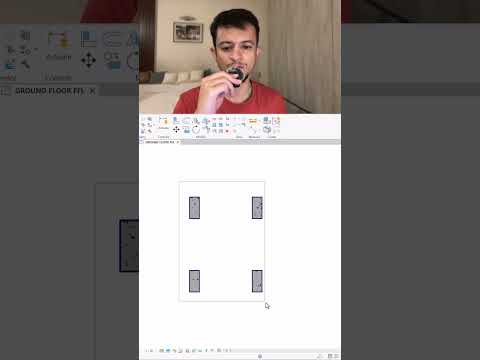
When designing complex architectural and structural models, small modeling actions can lead to massive downstream impacts. One of the most common points of confusion for modelers is deciding whether to flip or rotate an element. While both commands alter how an object appears in your view, modern BIM software processes these actions in fundamentally different ways.
Understanding when to use flipping versus rotating is essential for maintaining geometric accuracy, parameter integrity, and seamless project collaboration.
Understanding Element Rotation
Rotating an element turns it around a specific pivot point or axis at a defined angle (such as 45 or 90 degrees). When you rotate a component—such as a desk, a structural column, or a mechanical fixture—you are simply changing its spatial orientation within the project environment.
The internal geometry and original origin point of the component family remain unchanged relative to the object itself. Rotation is ideal when you need to align an element along an angled grid line or position furniture alongside non-orthogonal walls.
The Power of Flipping Components
Flipping, on the other hand, creates a mirrored version of the element across a specific reference plane or axis. In modeling tools like Autodesk Revit, this is frequently controlled using flip controls or quick keyboard shortcuts.
Flipping does not merely spin the object—it reverses its structural orientation and faces: * Walls: Flipping toggles the exterior and interior face orientation. * Doors: Flipping changes the door hand or swing direction (e.g., left-hand vs. right-hand opening). * Windows: Flipping reverses interior and exterior trim or sill placements.
Why the Difference Matters for BIM Workflows
Choosing the wrong action can compromise your model's data accuracy. For example, if you rotate a exterior wall by 180 degrees instead of flipping it, you inadvertently reverse the material layers. This can cause insulation schedules and thermal calculations to render incorrectly.
Parametric families rely heavily on precise origin references and host relationships. Leading BIM software depends on correct face orientation; flipping maintains the hosted relationship while adjusting swing directions, whereas improper rotation can break host constraints entirely.
Final Thoughts
Mastering fundamental maneuvers like flipping and rotating ensures your 3D models remain clean, accurate, and data-rich. By leveraging the full capabilities of your BIM software, you streamline construction documentation and prevent costly coordination errors on site.


