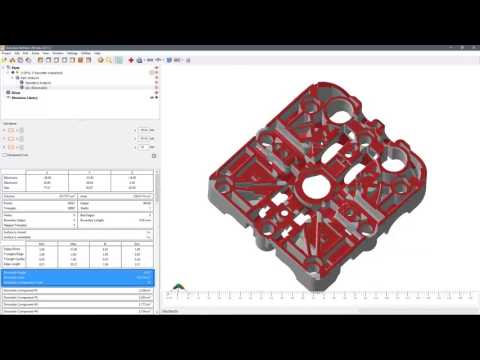
In the world of additive manufacturing, "good enough" rarely is. Whether you are printing functional prototypes or high-end industrial parts, accuracy is the cornerstone of success. In this installment of our tutorial series, we dive deep into the essential analysis and measurement tools within Autodesk Netfabb that ensure your designs are ready for the printer.
Why Analysis Matters in Additive Manufacturing
Before sending a file to the 3D printer, it is vital to understand the structural integrity and geometric accuracy of your model. Without proper analysis, you risk wasted material and costly print failures. Autodesk Netfabb provides a robust suite of tools designed to scrutinize every facet of your mesh, from wall thickness to volume calculations. By identifying these potential issues early, you can make informed adjustments to your design before a single drop of resin or gram of powder is used.
Essential Measurement Tools for Accuracy
Netfabb offers a variety of measurement options that go far beyond simple linear distances. These tools allow engineers to verify that their digital models match their physical requirements perfectly. Key capabilities include:
- Point-to-Point Distances: Ensure specific clearances and tolerances are met for mechanical assemblies.
- Angles and Radii: Verify the geometry of complex curves and mechanical interfaces to ensure fitment.
- Wall Thickness Analysis: Automatically detect areas that might be too thin to print successfully or too thick, which could lead to heat dissipation issues or warping.
Having these data points at your fingertips allows for a level of precision that manual inspection simply cannot match.
Identifying and Locating Potential Mesh Issues
The analysis module serves as your first line of defense against mesh errors. Common problems such as self-intersections, non-manifold edges, and inverted normals can be tricky to spot with the naked eye. Through the specialized analysis features in Autodesk Netfabb, these anomalies are highlighted in the 3D viewport, allowing users to pinpoint exactly where the mesh needs repair.
Furthermore, the software provides detailed reports on part volume and surface area, which are critical for estimating material costs and print time. By mastering these diagnostic tools, you transform your workflow from guesswork into a data-driven process.
Conclusion
Accuracy isn't just a goal; it’s a requirement for professional 3D printing. By utilizing the advanced measurement and analysis features found in this software, you ensure that every part you produce meets the highest standards of quality and functionality. Master these tools today to streamline your production and eliminate the frustration of failed prints.


