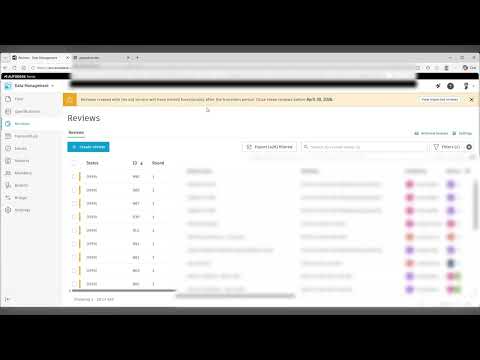
The digital landscape for architecture, engineering, and construction (AEC) professionals is shifting once again. Autodesk has recently announced a significant update regarding its cloud-based ecosystems: the legacy Reviews service is officially being retired. As the industry moves toward a more unified experience under the Autodesk Forma umbrella, understanding how these changes affect your existing Autodesk BIM 360 and Autodesk Construction Cloud (ACC) workflows is essential for maintaining project momentum.
Why Legacy Reviews Are Retiring
For years, the legacy Reviews tool provided a foundational way for teams to approve documents and drawings. However, as project data becomes more complex, the need for a more integrated and automated system has become clear. By retiring the legacy service, Autodesk is encouraging users to migrate to the modernized Review workflows available within the unified platform. This transition is part of the broader evolution of Autodesk BIM 360 into a more robust data management environment, now increasingly recognized as part of the Autodesk Forma ecosystem.
Enhancing Efficiency Through UI Automation
The retirement of older tools isn’t just about subtraction; it is about making room for smarter features. One of the standout highlights of this update is the focus on UI automation. Modern data management requires less manual clicking and more streamlined logic. The updated interface within the Autodesk Construction Cloud allows for faster navigation and more intuitive document handling. These enhancements ensure that teams spending time in Autodesk BIM 360 environments can focus on high-value design and construction tasks rather than administrative bottlenecks.
Transitioning Your Workflow
If your team still relies on legacy review templates, now is the time to act. Transitioning to the current Review tools allows you to take advantage of advanced features like multi-stage approvals, automated status updates, and better mobile integration. To prepare for this change, project admins should: * Audit current active reviews to ensure no data is lost during the phase-out. * Update company-wide standard operating procedures (SOPs) to reflect the new UI. * Explore the "Data Management" capabilities within Autodesk Forma to see how they align with your long-term digital strategy.
The shift away from legacy services marks a new chapter in cloud collaboration. By embracing these updates, firms can ensure they remain at the forefront of BIM technology, utilizing the most efficient tools Autodesk has to offer.


