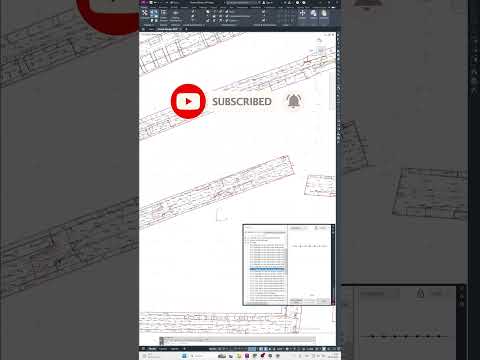
In the world of civil engineering and land development, the ability to create precise, data-rich topographic maps is a foundational skill. While AutoCAD Civil 3D has long been the industry standard for detailed design, the modern professional knows that the most efficient workflows often begin long before the first contour line is drawn. By leveraging the power of Autodesk InfraWorks, engineers can significantly accelerate the mapping process while maintaining a high degree of accuracy.
Starting with the Big Picture
The journey to a perfect topographic map begins with environmental context. Before diving into the granular details of Civil 3D, using Autodesk InfraWorks allows you to aggregate vast amounts of data from various sources—including GIS, cloud-based terrain data, and aerial imagery. This initial stage provides a 3D visual context of the existing site conditions, which is crucial for identifying potential design constraints early in the project lifecycle.
By using the Model Builder tool within the software, you can generate a preliminary site model in minutes. This conceptual foundation serves as the perfect jumping-off point for more detailed topographic work.
Transitioning to Civil 3D for Detail
Once the conceptual environment is established, the data can be seamlessly transitioned into Civil 3D. This is where the heavy lifting of topographic mapping occurs. By importing the surface data generated in your initial model, you can begin to refine points, establish breaklines, and generate high-fidelity contour maps that meet local regulatory standards.
The synergy between these two platforms ensures that you aren't just drawing lines; you are building a dynamic model. When you integrate Autodesk InfraWorks data into your Civil 3D environment, you reduce the risk of manual data entry errors and ensure that your project is grounded in real-world coordinates from day one.
Why This Integrated Workflow Wins
Adopting a multi-platform approach offers three distinct advantages: 1. Speed: Rapidly generate existing condition models without waiting for a full field survey to begin your preliminary designs. 2. Visualization: Present your topographic findings in a way that stakeholders can easily understand through 3D renderings. 3. Precision: Ensure that your detailed design in Civil 3D is perfectly aligned with the broader geographic context.
Mastering the creation of topographic maps requires a balance of technical skill and the right tools. By incorporating these advanced workflows, you can deliver higher-quality maps in less time, keeping your projects on track and your clients satisfied.


