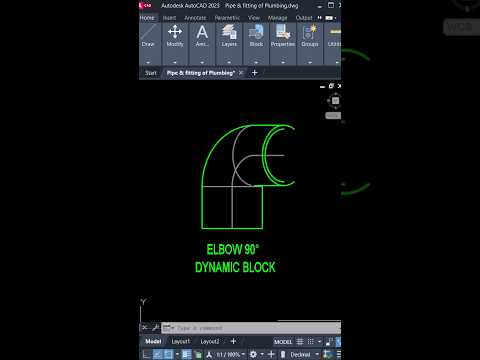
In the world of professional drafting, efficiency is the bridge between a good project and a great one. If you have ever felt bogged down by the repetitive task of manually placing, rotating, and scaling individual pipe fittings, it is time to embrace a more sophisticated workflow. One of the most visually impressive and functionally powerful tools at your disposal is the 90-degree dynamic block elbow.
Why Dynamic Blocks Matter
Static blocks are useful, but they are often rigid. If you need a different orientation or size, you frequently find yourself searching through folders for a different file. Dynamic blocks change the game by allowing you to build intelligence directly into your components. By mastering these tools within Autodesk AutoCAD, you can create a single "smart" elbow that adapts to your needs with just a few clicks.
Streamlining Your Workflow
Creating a dynamic 90-degree elbow involves using the Block Editor to assign specific parameters and actions. For instance, you can add "Flip" parameters to change the direction of the elbow instantly or "Rotation" parameters to align it with sloped piping.
When you implement these features in Autodesk AutoCAD, you aren't just making your workspace look "cool"—you are significantly reducing the margin for error. Instead of managing dozens of individual files, you have one versatile asset that handles multiple configurations, ensuring that your schematic remains clean and consistent.
Precision Meets Style
The beauty of the 90° dynamic block lies in its blend of form and function. It provides a professional aesthetic to your blueprints while providing the technical accuracy required for complex engineering projects. By leveraging the advanced geometric constraints found in Autodesk AutoCAD, you can ensure that your elbow blocks snap perfectly to centerlines and maintain their dimensions regardless of the drawing scale.
Whether you are designing intricate HVAC systems or simple plumbing layouts, upgrading to dynamic blocks is a move that will save you hours of tedious work. It is time to stop drafting harder and start drafting smarter.


