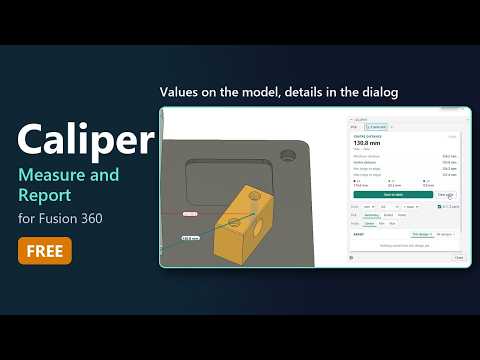
Accurate measurement is the backbone of any successful 3D design project. If you frequently use Autodesk Fusion 360, you know how crucial it is to quickly verify dimensions, check clearances, and keep track of critical parameters throughout your design process. However, native measuring tools can sometimes feel limiting, especially if you are accustomed to workflows from other CAD platforms.
Enter Caliper—a powerful, free add-in designed specifically to supercharge the way you measure and report dimensions inside your modeling environment.
Measure Like a Pro: SOLIDWORKS-Style Tools in Fusion
For designers transitioning from SOLIDWORKS or those looking for a more versatile measuring experience, Caliper is a game-changer. One of the biggest pain points in standard CAD workflows is that measured dimensions often disappear as soon as you close the tool. Caliper solves this by allowing you to retain, organize, and export your measurement data seamlessly.
Key features of the Caliper add-in include:
- Persistent Measurements: Keep your key dimensions visible on-screen while you continue tweaking and editing your 3D model.
- SOLIDWORKS-Style Intuition: Enjoy a familiar, streamlined measuring interface that minimizes unnecessary clicks and reduces layout errors.
- Detailed Reporting: Easily generate, store, and export comprehensive measurement reports for client reviews, manufacturing documentation, or team collaboration.
Boost Your Productivity for Free
Whether you are working on complex mechanical assemblies or quick prototyping for 3D printing, having clear, persistent dimensions at your fingertips dramatically speeds up quality assurance. You no longer need to re-measure the same edges or write down numbers on scrap paper—Caliper handles the documentation for you.
If you want to boost your overall modeling efficiency and eliminate measurement friction in Autodesk Fusion 360, adding Caliper to your software setup is a no-brainer. Upgrade your digital toolkit today, streamline your reporting, and experience a much more intuitive CAD workflow!


