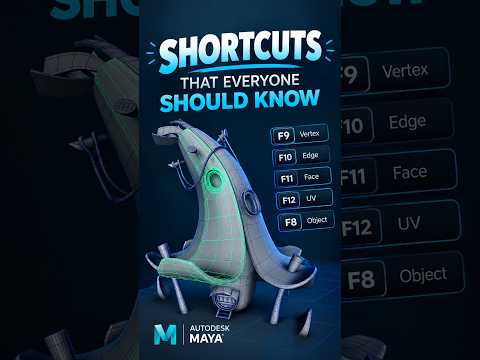
Whether you are a seasoned 3D generalist or a beginner stepping into the world of digital creation, mastering your toolset is crucial for producing high-quality assets. When it comes to industry-standard software, Autodesk Maya stands at the forefront of 3D modeling, animation, and rendering. For hard surface modelers in particular, leveraging the right features can mean the difference between spending hours struggling with geometry and completing a pristine mesh in minutes.
Essential Tools for Seamless Hard Surface Modeling
Hard surface modeling requires precision, clean topology, and an efficient creative workflow. Within the versatile interface of Autodesk Maya, several core tools form the foundation of every professional 3D artist’s daily pipeline:
- Bevel Tool: Adding subtle, realistic rounded edges to sharp geometry is vital for catching light highlights naturally in renders.
- Multi-Cut Tool: Perfect for manually inserting edge loops, slicing through geometry, or connecting vertices to maintain optimal quad topology.
- Extrude Tool: The fundamental feature for adding depth, extending faces, and building out complex surface details effortlessly.
- Target Weld: Crucial for geometry cleanup, merging overlapping vertices, and streamlining dense meshes.
By building a seamless, muscle-memory workflow around these core features, you can dramatically increase both your modeling speed and technical precision.
Streamlining Your Workflow with Custom Hotkeys
Beyond basic tools, true production speed comes from tailoring your workspace. Utilizing marking menus, custom shelves, and personalized hotkeys allows you to keep your focus entirely on the viewport rather than searching through submenus. Integrating these practical workflow tips will immediately elevate the quality of your hard surface assets while saving you valuable time.
Want a Detailed Walkthrough?
Every 3D model presents unique topology and structural challenges. If you want a detailed, step-by-step video tutorial focusing on any specific part of a model or a specialized technique, leave a comment below or send a direct message. Let us know what you want to learn next, and we will upload a dedicated guide to help you master Autodesk Maya!


