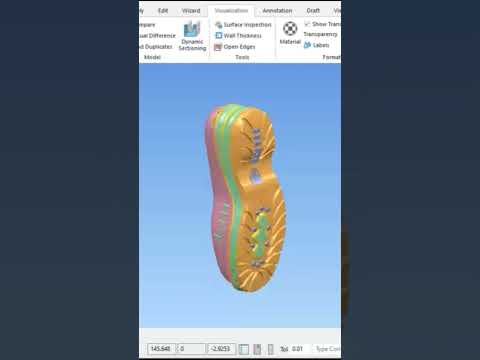
In the highly competitive world of footwear design, precision and fluid geometry are the hallmarks of a premium product. Creating a complex shoe sole requires a delicate balance between aesthetic appeal and technical manufacturability. This is where Autodesk PowerShape shines as a premier tool for engineers and designers who need to bridge the gap between artistic vision and production-ready reality.
Why Choose Autodesk PowerShape for Footwear?
The software is uniquely designed to handle "organic" geometry that standard CAD tools often struggle with. When modeling a shoe sole—which frequently features intricate curves, varying thicknesses, and ergonomic contours—designers need a workflow that allows for flexibility without compromising data integrity. The specialized toolset within the program makes it easier to manipulate complex surfaces, ensuring that every transition is smooth and every edge is perfectly filleted.
The Workflow for Complex Sole Modeling
The process of modeling a sophisticated sole begins with a solid foundation of wireframe construction. By defining the primary curves of the outsole and midsole, you create the essential skeleton of your design. From there, you apply advanced surfacing techniques to "skin" the wireframe.
In our latest tutorial, we dive deep into the specific techniques used to manage these complex surfaces. You will learn how to use surface editing tools to blend different sections of the sole seamlessly. This ensures that the final product is not only visually impressive but also optimized for the mold-making process, reducing the risk of errors during the manufacturing stage.
Mastering Surface Manipulation and Refinement
One of the most significant challenges in shoe design is managing the transition between functional zones, such as the arch support and the tread patterns. By utilizing Autodesk PowerShape, designers can easily modify surface patches and perform real-time curvature analysis. This level of control allows you to identify and fix potential defects in the geometry before the design ever leaves the digital environment.
Whether you are working on high-performance athletic sneakers or intricate fashion footwear, mastering these advanced surfacing tools is essential. It allows for faster iterations and a significantly more efficient production cycle.
Conclusion
Elevating your CAD/CAM skills requires both the right techniques and the right software. By integrating Autodesk PowerShape into your design workflow, you gain a competitive edge in the footwear industry, ensuring your complex models are both innovative and perfectly engineered for the real world.


