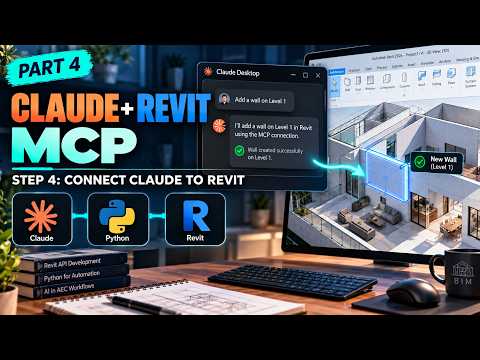
The intersection of Artificial Intelligence and Building Information Modeling (BIM) is evolving rapidly, and the Model Context Protocol (MCP) is at the forefront of this transformation. In this fourth installment of our tutorial series, we transition into the technical execution of connecting Autodesk Revit 2026 with the power of Claude AI using a custom Python-based MCP server.
Bridging the Gap with MCP
The Model Context Protocol (MCP) acts as a sophisticated bridge, allowing Large Language Models (LLMs) like Claude to interact directly with local applications and data. By building a dedicated server in Python, we can translate natural language prompts into actionable commands within the Revit environment. This setup allows users to control complex architectural parameters using simple, conversational English.
Developing the Python MCP Server
Python serves as the robust backbone for this integration. In this tutorial, we walk through the architecture of the MCP server, focusing on how it handles requests from Claude Desktop. By leveraging Python’s extensive libraries and the Revit API, we create a listener that interprets instructions and executes them within Autodesk Revit.
The process involves: 1. Setting up the Python environment and necessary dependencies. 2. Writing the server logic to define "tools" that Claude can call. 3. Establishing a secure communication channel between Claude Desktop and the Revit 2026 instance.
Seamless Integration with Claude Desktop
The true magic happens when you connect Claude Desktop to your local server. Imagine typing a single sentence like, "Adjust all window heights in the south facade to 2100mm," and watching the changes happen in real-time. This level of automation significantly reduces the time spent on repetitive tasks, allowing architects and engineers to focus on high-level design decisions.
By integrating AI directly into the Autodesk Revit workflow, we are moving beyond simple scripts toward a future of "Intent-Based Design." Whether you are a developer looking to expand your BIM toolset or a designer eager to automate your documentation, mastering the Python MCP server is a crucial step forward.
Conclusion
As AI continues to reshape the AEC (Architecture, Engineering, and Construction) industry, staying ahead of the curve means embracing these hybrid workflows. Setting up a Python MCP server for Claude is more than just a technical exercise; it is a gateway to a more intuitive and efficient way of working with BIM data. Stay tuned for more insights as we continue to push the boundaries of what is possible in the world of modern design.


