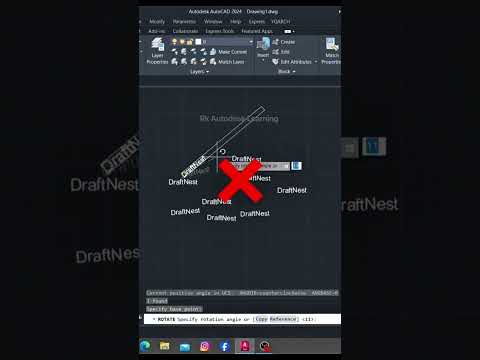
Are you still spending valuable time manually calculating and adjusting rotation angles in your design projects? If so, it’s time to upgrade your drafting workflow. Precision and speed are crucial for architects, engineers, and designers, and relying on manual angle inputs often leads to frustrating alignment errors and unnecessary delays.
By leveraging the built-in smart tools in Autodesk AutoCAD, you can automate precise rotation, streamline your drafting process, and drastically improve design accuracy.
Why Manual Angle Rotation Hurts Your Workflow
Manually rotating objects requires calculating angles off-screen or guessing relative alignment. This traditional approach causes several common issues:
- Reduced Precision: Human error can introduce microscopic angle discrepancies that disrupt entire drawing layouts.
- Wasted Time: Manually checking and re-checking geometry alignment significantly slows down project delivery.
- Workflow Frustration: Repetitive mechanical tasks take your focus away from core creative and technical design work.
How to Align Objects Efficiently Using Reference Angles
Instead of manually guessing or calculating degrees, advanced CAD software offers built-in features like the "Reference" option within the Rotate command. Here is how you can instantly align objects to existing geometry without calculating exact angles:
- Activate the Rotate Command: Select your object and type
ROinto the command line. - Specify the Base Point: Pick the pivot point on your object.
- Select the Reference Option: Type
R(for Reference) and press Enter. - Define the Target Line: Click two points on your object to define the current angle, then pick the reference points on your target object.
This quick shortcut allows your Autodesk software to calculate and apply the exact rotation angle automatically, snapping your geometry perfectly into place.
Boost Your Overall Design Productivity
Mastering simple productivity tips can transform the way you approach complex engineering and architectural layouts. The comprehensive suite of tools developed by Autodesk includes dozens of hidden shortcuts designed to reduce repetitive work. By moving away from manual rotation techniques and embracing smart alignment tools, you can work faster, eliminate errors, and keep your focus on high-quality design work.


