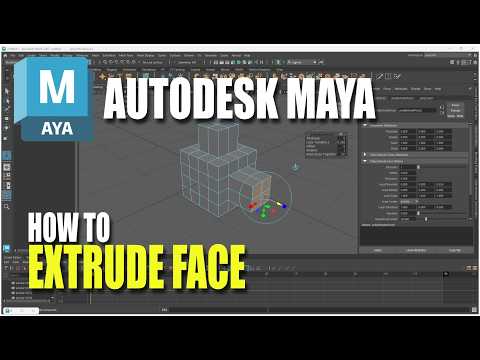
Are you just starting your journey into the exciting world of 3D modeling and animation? Mastering the fundamentals is key to creating complex, detailed models. Autodesk Maya is an industry-standard software used by top studios worldwide, and learning its foundational tools is your first step toward creative success. Among these essential features, the "Extrude" command is easily one of the most useful and frequently used tools in 3D design.
What is the Extrude Command in Maya?
The Extrude tool allows you to pull out or push in geometric faces, edges, or vertices to generate new geometry and add depth to your 3D objects. Whether you are modeling a basic prop, building architectural structures, or sculpting a complex character mesh, extruding faces is a core technique you will use in almost every project.
Step-by-Step: How to Extrude a Face
Extruding a face in Autodesk Maya is straightforward once you understand the basic workflow:
- Switch to Face Mode: Right-click on your 3D object (such as a polygon cube) and hold down the mouse button to select Face mode from the marking menu.
- Select the Face: Click on the specific face you want to modify. If you want to extrude multiple faces at once, hold down the
Shiftkey while selecting them. - Execute the Extrude Tool: Navigate to the top menu bar and choose Edit Mesh > Extrude, or press the popular hotkey shortcut Ctrl + E (or Cmd + E on macOS).
- Manipulate the Geometry: A manipulator widget will instantly appear on the active face. Click and drag the arrows to extrude the face outward or inward. You can also fine-tune parameters like Thickness, Offset, and Local Translate Z in the pop-up options window.
Pro Tips for Modeling Beginners
- Watch Out for Overlapping Geometry: If you trigger the Extrude command but fail to move the manipulator, Maya still creates new faces in the exact same position. Always transform your extrusion right away to avoid overlapping geometry errors.
- Master Keyboard Shortcuts: Using the Ctrl + E shortcut will save you valuable time and speed up your workflow significantly while working in Autodesk Maya.
Conclusion
Extruding faces is a simple yet indispensable technique that forms the backbone of modern polygon modeling. Practice using this command on basic shapes, and you will quickly gain the confidence needed to tackle more advanced 3D projects!


