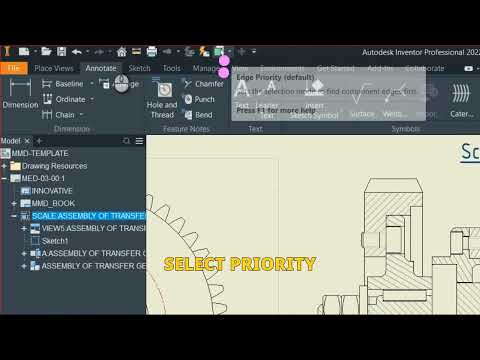
Creating detailed, professional technical documentation is a critical phase of any product design workflow. When working with mechanical assemblies, inserting standard hardware—such as bolts, nuts, bearings, and washers—into drawing views manually can be time-consuming. Fortunately, Autodesk Inventor provides streamlined tools to handle standard components seamlessly within your 2D engineering drawings.
Why Standard Components Matter in Technical Drawings
Using standardized parts ensures that your mechanical designs adhere to global manufacturing norms, such as ISO, ANSI, or DIN specifications. Incorporating these parts correctly reduces modeling errors, simplifies the procurement process, and guarantees that manufacturing teams receive accurate hardware specifications straight from your Bill of Materials (BOM).
How to Include Standard Parts in Your Autodesk Drawing Views
To display and manage standard components efficiently on your drawing sheets, follow these core steps:
- Utilize Content Center in the Assembly: Before creating your 2D drawing, insert standard hardware into your 3D assembly using the built-in Content Center. This embeds essential part metadata directly into the model.
- Generate Drawing Views: Open your drawing template (
.idwor.dwg) and place a base view of the assembly. The standard parts will automatically display in the view orientation you choose. - Control Display and Sectioning Options: In mechanical drafting, standard fasteners like bolts and pins should typically not be sectioned. You can easily adjust component sectioning behavior by right-clicking the standard part in the drawing browser and modifying its participant settings.
- Automate Parts Lists and Item Balloons: Use the annotation features in Autodesk Inventor to generate an automatic Parts List. Components sourced from the Content Center will automatically populate with correct part numbers, descriptions, and standard designations.
Best Practices for Clean Documentation
- Automated Centerlines: Enable automated centerline placement for standard hole patterns to save manual drafting effort.
- Browser Filtering: Use the drawing browser tree to hide non-essential standard components if a specific view requires a simplified representation.
Conclusion
Documenting standard hardware doesn't have to be a bottleneck in your design pipeline. By leveraging Content Center libraries and automated drafting tools, you can dramatically speed up drawing creation while maintaining precise engineering standards.


