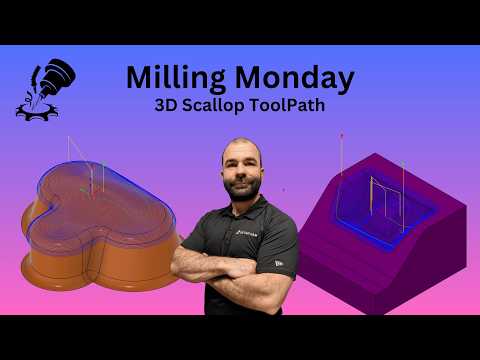
Achieving a clean, uniform surface finish on complex 3D geometry can make or break your CNC machining project. Whether you are cutting organic curves, steep walls, or shallow molds, selecting the right finishing strategy is critical. That is where the 3D Scallop toolpath comes in—one of the most versatile finishing strategies available in modern CAM software.
In this guide, we will break down what the 3D Scallop toolpath is, when to use it, and how to optimize it for flawless surface quality.
What is the 3D Scallop Toolpath?
The 3D Scallop toolpath, a key feature in the CAM workspace of Autodesk Fusion, works by maintaining a constant stepover distance across the 3D surface of your model. Unlike basic 3D toolpaths that project passes along a single fixed axis, Scallop passes follow the actual 3D contour of the geometry. This results in an remarkably consistent surface finish, regardless of whether the surface is steep, shallow, or flat.
When Should You Use 3D Scallop?
While toolpaths like Contour work best on steep walls and Parallel shines on shallow slopes, 3D Scallop excels on complex geometry where both steep and shallow regions meet.
You should reach for 3D Scallop when: - Machining Organic or Sculpted Shapes: It seamlessly handles freeform 3D surfaces without leaving harsh transition lines. - Blending Fillets and Radii: It maintains consistent tool engagement across internal and external fillets. - Simplifying Workflow: Instead of creating multiple separate operations for steep and shallow areas, Scallop can handle the entire complex feature in a single, efficient toolpath.
Key Settings for Optimal Results
To get the absolute best surface finish when programming in Autodesk Fusion, keep these core parameters in mind:
- Fine-Tune Your Stepover: Stepover determines the height of the ridge (or "scallop") left between tool passes. A smaller stepover yields a smoother finish but increases machining time, so balance your surface quality requirements with cycle time.
- Select the Right Tool: Ball nose end mills are the gold standard for 3D Scallop operations, as their spherical radius creates smooth transitions across varying surface angles.
- Use Machining Boundaries: Define clear boundaries to contain the toolpath strictly to the target area, preventing unnecessary air cutting and saving valuable machine time.
By mastering this versatile strategy, you can drastically reduce manual post-processing and produce professional-grade parts directly off the mill.


