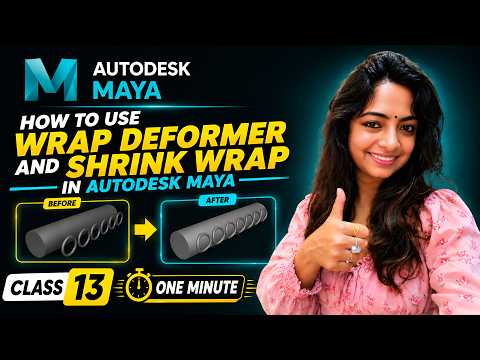
In the realm of 3D computer graphics, achieving realistic mesh movement and complex geometry adjustments can often feel overwhelming. Fortunately, Autodesk Maya offers a robust suite of deformation tools designed to streamline your modeling and animation workflows. Two of the most powerful yet frequently underutilized tools in this toolkit are the Wrap Deformer and the Shrink Wrap Deformer.
Whether you are a beginner stepping into 3D animation or an experienced artist refining your rigging technique, understanding how to use these two deformers effectively will significantly speed up your production process.
What is the Wrap Deformer in Autodesk Maya?
The Wrap Deformer allows you to control a high-density 3D mesh using a lower-density driver object. Instead of manually adjusting thousands of individual vertices on a complex model, you can bind it to a simpler geometry. When you deform or animate the simpler mesh, the high-detail object follows seamlessly.
This tool is exceptionally useful for: - Clothing and Costumes: Binding detailed garments to a character's base body or proxy mesh. - Secondary Dynamics: Controlling intricate props, hair, or accessories attached to moving characters. - Facial Rigging: Transferring complex facial expressions from one base mesh to another without rebuilding shapes.
How the Shrink Wrap Deformer Works
While the Wrap Deformer drives movement based on spatial proximity, the Shrink Wrap Deformer projects the vertices of one object directly onto the surface of a target object. Think of it like vacuum-sealing a tight layer of plastic film around a solid shape.
By using Shrink Wrap in your projects, you can project flat geometry onto curved surfaces effortlessly. Common practical applications include: - Conforming armor, bandages, or skin-tight suits directly onto a character’s body mesh. - Snapping decals, stickers, or surface details onto uneven models like terrain or bottles. - Creating smooth retopology references for high-poly digital sculpts.
Wrap vs. Shrink Wrap: Which Should You Use?
Choosing between these two deformers depends on your specific creative goal. Use the Wrap Deformer when you need dynamic movement and full shape control driven by an underlying proxy mesh. On the other hand, opt for the Shrink Wrap Deformer when your primary goal is surface conformity and tight alignment against a target object.
Mastering these essential features in Autodesk Maya gives you complete control over your geometry without damaging the underlying topology. Incorporate both deformers into your daily 3D workflow today to build cleaner rigs, smoother animations, and more dynamic models!


