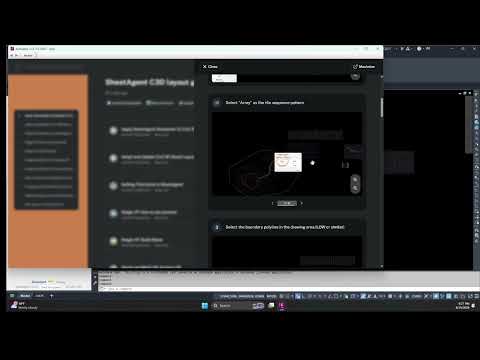
Learning a new plugin or tool can often feel like a daunting task, especially when it involves wading through hours of video tutorials just to find a single step. When working with complex Autodesk Civil 3D workflows, civil engineers and CAD designers need quick, practical guidance that doesn't disrupt their design momentum.
The Problem with Traditional Video Tutorials
While video tutorials are valuable, relying on them during active project production comes with significant drawbacks: - Time-Consuming: Scrubbing through long video timelines to find a specific command wastes precious billable hours. - Context Switching: Toggling back and forth between a web browser and your active workspace breaks your concentration. - Lost Focus: Pausing and rewinding external videos pulls you completely out of your design flow.
Instant, Step-by-Step Help Inside Your Workspace
Instead of leaving your workspace to search for answers, modern software solutions offer instant assistance right inside the application. To help engineering professionals master tools faster, specialized Autodesk plugins now feature built-in, multi-layered help systems.
These integrated guidance layers provide contextual support directly within the Civil 3D interface. With two layers of built-in assistance, you can access both high-level tool overviews and detailed, step-by-step walkthroughs without ever minimizing your drawing window.
Key Benefits of In-App Guidance
- Zero Workflow Interruption: Get immediate answers without leaving your project environment.
- Accelerated Learning: Learn new commands and tools while actively completing project tasks.
- Higher Accuracy: Clear, on-screen prompts reduce user error during complex civil design procedures.
Elevate Your Design Efficiency
You no longer need to pause your productive design hours to learn new software enhancements. Streamline your Autodesk Civil 3D workflow today by leveraging built-in, step-by-step help features—and spend less time watching tutorials and more time delivering great projects.


