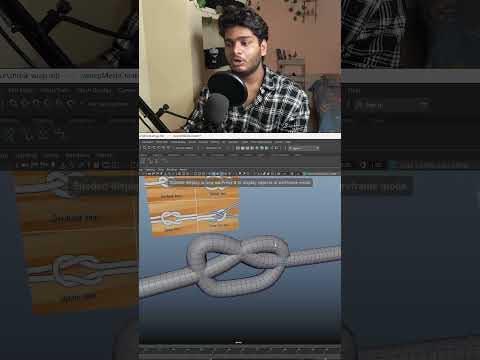
Creating realistic, game-ready organic props like ropes and knots can often feel like a daunting task for 3D artists. However, by leveraging the sophisticated toolset available in Autodesk Maya, you can transform this complex process into a streamlined workflow. Whether you are building assets for a high-end cinematic or an optimized mobile game, mastering these specific techniques will significantly boost your productivity.
Lay the Foundation with Curves
The secret to a flexible rope model lies in its initial path. Instead of trying to extrude faces manually, start by drawing a CV Curve or EP Curve in your viewport. This allows you to define the intricate "over-under" flow of a knot with precision. The beauty of using curves is the non-destructive nature of the workflow; you can easily tweak the points later to adjust the tension or placement of the rope without rebuilding the entire mesh.
Bring Form to Life with Sweep Mesh
Once your curve is established, it is time to give it volume. In recent versions of Autodesk Maya, the "Sweep Mesh" tool has become a game-changer for environment and prop artists. By selecting your curve and applying a Sweep Mesh, you can instantly generate a cylindrical volume.
The tool options allow you to control the number of sides (tapering it down for game-ready optimization) and even add a "Twist" attribute. Increasing the twist value is the most effective way to simulate the spiraled strands of a real-world rope, giving it that authentic braided look without any heavy sculpting.
Achieving a Snug Fit with Shrink Wrap
A common challenge is making a rope look like it is tightly bound around another object, such as a wooden pole or a character’s wrist. This is where the Shrink Wrap deformer shines. By applying this deformer to your rope mesh and targeting the underlying geometry, the rope will "shrink" and conform perfectly to the surface. This eliminates unsightly gaps and ensures your asset looks integrated into the environment.
Final Polish for Game-Ready Assets
To finish your model, ensure you have a clean topology. Because Sweep Mesh generates organized UVs by default, your texturing process in software like Substance Painter will be much smoother. By combining these three powerful features, you can create high-quality, professional 3D ropes that are both visually stunning and technically sound for any modern game engine.


