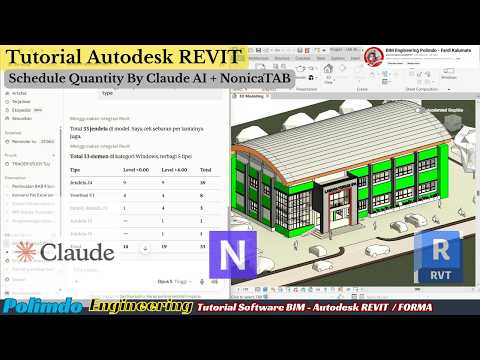
The world of Building Information Modeling (BIM) is evolving at a breakneck pace. For AEC (Architecture, Engineering, and Construction) professionals, the challenge has always been to manage complex data without sacrificing precious time. Today, a new powerhouse combination is emerging to solve this: the integration of Autodesk Revit with NonicaTab and Claude AI. This trio is revolutionizing how we handle quantity schedules and data management.
The Power of Integrated BIM Workflows
At the heart of any high-quality design process is Autodesk Revit. While Revit is incredibly powerful on its own, its true potential is unlocked when you introduce automation tools that bridge the gap between raw data and actionable insights. By leveraging NonicaTab, users can easily run Python scripts and Dynamo graphs directly from the Revit toolbar, creating a seamless user experience.
When you add Claude AI into this mix, you are essentially adding a "brain" to your BIM workflow. Claude AI can assist in generating complex scripts, analyzing schedule data, or even troubleshooting parameters that would otherwise take hours of manual labor to fix.
Streamlining Schedule Quantities
One of the most time-consuming tasks in a BIM project is the creation and management of quantity schedules. Traditionally, this required meticulous manual input and constant cross-checking. However, by using this integrated tech stack, you can automate the extraction and organization of data.
NonicaTab acts as the interface, allowing you to trigger automated processes within the Autodesk ecosystem. Meanwhile, Claude AI helps in refining the logic behind the schedules, ensuring that the quantities are accurate and formatted exactly as needed for project reports. This synergy not only reduces human error but also allows engineers and architects to focus on more creative design tasks.
Why This Combination Matters
The integration of AI and BIM is no longer a luxury—it is becoming a necessity for staying competitive. By combining the industry-standard capabilities of Revit, the customization of NonicaTab, and the linguistic and logical prowess of Claude AI, you are building a future-proof workflow.
Whether you are looking to speed up your documentation phase or ensure higher precision in your cost estimations, exploring these advanced tools is the way forward. Embracing these innovations will transform your project delivery from a manual grind into a high-speed, automated success.


