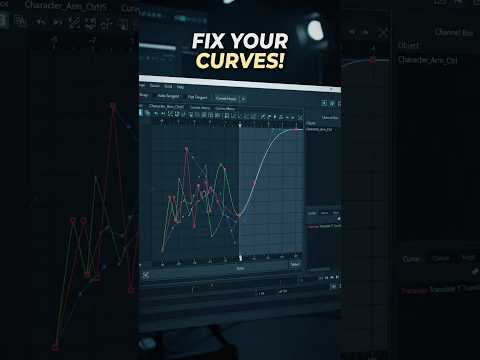
If you are a 3D animator, you know that the secret to lifelike motion isn't just about setting keyframes—it’s about what happens between them. While Autodesk Maya remains the industry standard for character animation, many artists struggle with "floaty" or "jittery" results. The key to fixing these common issues lies deep within the Graph Editor.
Why the Graph Editor is Your Engine Room
The Graph Editor is the heart of your animation workflow. While the viewport shows you the final result, the Graph Editor shows you the underlying data. By mastering this tool, you gain total control over the weight, momentum, and rhythm of your character’s movements. However, a cluttered graph leads to cluttered motion. To truly level up, you need to master the art of curve management.
The Pro Tip: Simplify for Smoother Motion
One of the most powerful tips for professional-grade animation in Autodesk Maya is the "Simplify Curve" approach. Junior animators often fall into the trap of setting too many keyframes, which creates "noise" and makes the motion feel robotic or shaky.
By strategically removing redundant keys and focusing only on the essential "extremes" and "breakdowns," you allow Maya to calculate smoother interpolations. This process, often referred to as "cleaning your curves," ensures that your arcs are graceful and your transitions are fluid. Not only does this improve the visual quality of your work, but it also makes your scene much easier to iterate on when you receive feedback.
Enhancing Timing and Spacing
Once your curves are clean, you can use the Graph Editor to fine-tune your timing and spacing. By manipulating the tangents of your remaining keys, you can create "snappy" movements for action sequences or slow, lingering drifts for emotional moments. Mastering the weight of these tangents allows you to dictate exactly how an object accelerates and decelerates, providing that professional "polish" that recruiters look for.
Conclusion
Animation is a journey of refinement, and your tools should work with you, not against you. By implementing these curve-cleaning techniques into your Autodesk workflow, you will save hours of troubleshooting and produce higher-quality animation that stands out from the crowd. Remember: sometimes, less is more when it comes to keyframes. Open up your Graph Editor today and start simplifying your path to pro-level motion!


