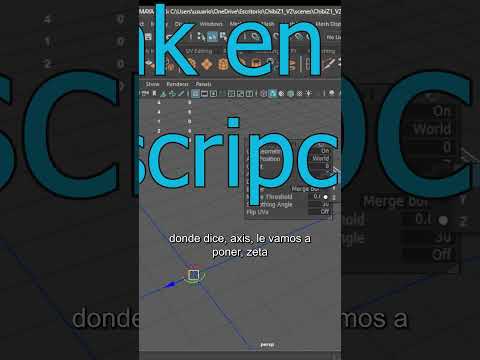
When creating 3D assets, efficiency is key to meeting tight deadlines and maintaining high quality. Symmetrical objects—such as human faces, vehicles, weapons, and architectural elements—do not require you to build both sides from scratch. By taking advantage of symmetry, you can model just one side of your object and duplicate it seamlessly. Utilizing Autodesk tools to master this technique will revolutionize your daily design workflow.
The Power of Modeling Only Half
Modeling symmetrical assets saves an immense amount of time while ensuring absolute accuracy across both halves of your mesh. Instead of manually tweaking vertices on the left side to match the right, you can focus all your energy on perfecting a single side. Once you achieve the desired shape, proportion, and topology, you simply invoke the mirror function to generate the opposite side instantly.
Key Steps to Master the Mirror Tool
To get the best results when mirroring your 3D models in Autodesk applications, follow these essential steps:
- Align the Origin Point: Ensure your model’s pivot point or object origin is set precisely along the central axis of symmetry (typically the X, Y, or Z axis).
- Prepare the Center Boundary: Keep the center seam straight and flat so that both halves meet seamlessly without overlapping faces or gaps.
- Apply the Mirror Tool: Activate the mirror function or modifier to project the geometry across your designated axis in real time.
- Merge Central Vertices: Enable vertex welding along the center seam to create a single, unified mesh ready for UV unwrapping, texturing, and rigging.
Elevate Your 3D Production Pipeline
Integrating symmetry into your regular habits allows you to iterate faster, test creative concepts effortlessly, and eliminate redundant labor. Whether you are crafting complex organic creatures or sleek hard-surface assets, leveraging the mirror tool within your Autodesk pipeline ensures high consistency, speed, and professional precision on every project.


