Digital art has never been more accessible, and having the right mobile drawing tool can completely transform your creative workflow. If you want to create stunning digital illustrations on your tablet or smartphone, Autodesk SketchBook is one of the most powerful and versatile apps available today. Whether you are an absolute beginner or an experienced artist looking for a portable canvas, learning how to navigate this feature-packed app is essential.
Getting Started with Core Tools and Brushes
When you first open the app, the clean and distraction-free interface might look simple, but it houses a robust engine designed to mimic traditional drawing media. Start by exploring the extensive brush library. Here, you will find everything from fine-line pens and soft graphite pencils to synthetic paintbrushes and airbrushes.
Adjusting stroke properties like opacity and brush size is quick and intuitive, allowing you to sketch rough outlines before moving on to detailed linework. Don't be afraid to experiment with layer management early on—keeping your rough sketch, clean line art, and colors on separate layers makes editing completely hassle-free.
Utilizing Symmetry and Shape Tools
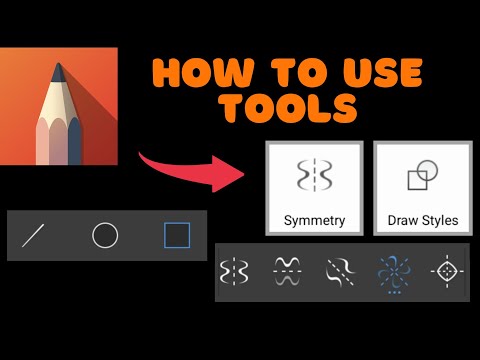
One of the standout features of Autodesk SketchBook is its powerful suite of precision drawing guides. For artists who struggle with drawing balanced features or complex geometric patterns, these built-in tools are true game-changers:
- Symmetry Tools: Enable vertical, horizontal, or radial symmetry to mirror your brush strokes instantly. This is ideal for designing logos, mandalas, or symmetrical character portraits.
- Predictive Stroke & Shapes: If you find drawing smooth curves or crisp geometric shapes challenging, use the shape tools and predictive stroke options to automatically smooth out your lines in real-time.
Elevating Your Digital Canvas
To bring your drawings to life, take full advantage of color palettes and blending modes. Using multiply layers for shading and screen or add layers for highlights allows you to create professional lighting effects with minimal effort.
By spending just a little time exploring the interface and practicing basic drawing techniques, Autodesk SketchBook can easily become your favorite portable studio. Grab your stylus, open up a blank canvas, and start turning your creative ideas into digital masterpieces today!


