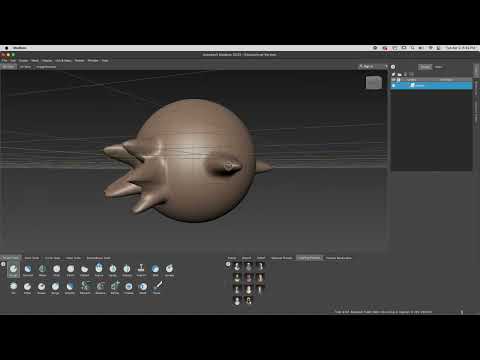
Elevating Your Art with Digital Sculpting
In the world of high-end 3D production, the ability to add intricate details to a character or environment is what separates a novice from a professional. Digital sculpting has become the industry standard for creating realistic textures and organic shapes. One of the most powerful tools in this space is Autodesk Mudbox, a software designed to handle high-resolution geometry with the intuition of traditional clay modeling.
This article takes a closer look at insights gathered from a deep-dive classroom lecture focused on advanced animation. Whether you are a student or a hobbyist, understanding how this software integrates into a professional pipeline is crucial for your growth as a digital artist.
Insights from the Advanced Animation Classroom
The core of our review stems from a comprehensive high school lecture that goes beyond the basics. While the recording captures a live classroom environment—meaning the audio reflects the raw, authentic nature of a teaching setting—the value of the information is immense. The lecture focuses on how Autodesk Mudbox serves as more than just a sculpting tool; it is a vital part of the texturing and displacement mapping workflow.
During the session, students explored how to transition from a low-poly base mesh to a high-fidelity sculpt. The process involves layering fine details like skin pores, fabric folds, and rocky textures that would be nearly impossible to achieve through standard polygon modeling. This "advanced animation" perspective highlights the importance of keeping your mesh clean for future rigging and movement, a step often overlooked by beginners.
Why Choose This Software?
One of the standout features discussed in the review is the user-friendly interface. Many artists find that Autodesk Mudbox offers a more natural learning curve compared to its competitors. Its seamless integration with other software, like Maya or 3ds Max, makes it a go-to choice for studios that require a fast and efficient "round-trip" workflow.
The classroom lecture emphasizes that while the software is powerful, the artist's eye for anatomy and form is what truly brings a character to life. The lesson serves as a reminder that the best way to master these tools is through consistent practice and by studying the fundamentals of traditional art.
Final Thoughts
If you are looking to take your character designs to the next level, mastering a professional sculpting suite is a must. By following along with high-level educational content, you gain the perspective needed to navigate complex production environments. Stay tuned for more updates and tutorials as we continue to explore the ever-evolving world of 3D animation.


