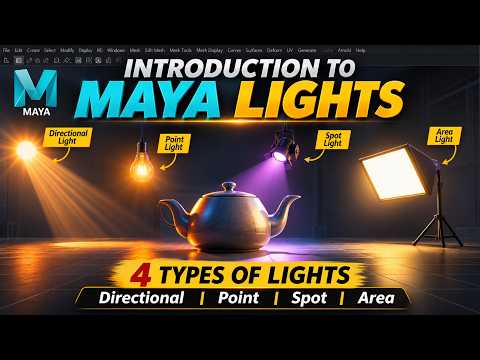
Lighting is one of the most critical aspects of 3D rendering. It transforms flat, lifeless models into realistic, emotionally resonant visual scenes. If you are starting your journey in 3D design, understanding how to control and position light in Autodesk Maya is a foundational skill that can instantly elevate your work.
In this guide, we will break down the four essential light types in Maya—Point, Directional, Area, and Spot lights—and explain when to use each for maximum visual impact.
1. Point Light
A Point Light functions much like a real-world bare lightbulb. It radiates light equally in all directions from a single infinitely small point in 3D space. * Best Used For: Localized light sources like table lamps, candles, streetlights, or magical effects. * Key Feature: Light intensity decreases with distance (falloff), giving you natural control over localized illumination.
2. Directional Light
Unlike Point Lights, a Directional Light emits parallel light rays from an infinite distance. The physical position of a Directional Light in your scene does not matter—only its angle of rotation affects how shadows and highlights are cast. * Best Used For: Sunlight, moonlight, or any light source situated extremely far away. * Key Feature: Uniform light distribution across the entire scene without light falloff.
3. Area Light
An Area Light projects light from a defined two-dimensional grid surface (such as a rectangle or disk). Because the light comes from an actual shape rather than a point, it creates soft, physically accurate shadows with realistic penumbras. * Best Used For: Studio product shots, window light, soft indoor ambient lighting, and realistic character portraits. * Key Feature: Highly realistic illumination that scales with the size of the light surface.
4. Spot Light
A Spot Light projects a cone of light in a specific direction from a single point. You can easily adjust the cone angle, penumbra (edge softness), and dropoff rate to control how focused or diffused the beam appears. * Best Used For: Stage lighting, car headlights, flashlights, or dramatic accent highlights on specific objects. * Key Feature: Precise beam targeting with customizable edge falloff.
Bringing Your Scenes to Life
Mastering these four lights allows you to craft compelling visual stories, establish mood, and direct the viewer's focus. As you experiment with intensity, color, and shadows inside Autodesk Maya, try combining different light types to build a classic three-point lighting setup. Practice regularly in Autodesk Maya to refine your lighting workflow and craft render-ready 3D environments with confidence.


