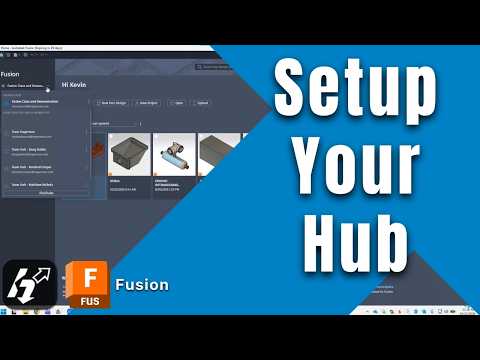
Starting a new 3D design project can be an exciting experience, but getting your workspace properly configured is essential for long-term success. Whether you are a beginner or a seasoned designer, setting up Autodesk Fusion 360 correctly from day one will save you countless hours of troubleshooting later.
From navigating the updated home screen to managing cloud-based project hubs, here is how you can optimize your environment for seamless team collaboration and maximum productivity.
Master the New Home Screen and Settings
When you first launch the software, the updated home screen serves as your central command center. Before diving into complex modeling, take a few minutes to customize your preference settings. Adjusting your default modeling units, navigation controls, and graphics performance ensures that your workspace feels comfortable and tailored to your specific hardware capabilities.
Configuring your preferences early prevents repetitive adjustments during the design phase, allowing you to focus purely on innovation.
Organize Workflows with Fusion Hubs and Projects
Cloud storage and project management are at the core of modern cloud CAD solutions. In Autodesk Fusion 360, your work is organized into Fusion Hubs and distinct Projects.
- Fusion Hubs: Act as your top-level organizational unit (personal or team-based) where all files, assets, and project data reside.
- Projects: Serve as dedicated folders within a Hub, allowing you to group related design components, drawings, and assemblies together.
Structuring your projects logically ensures your files stay clean, version-controlled, and easy to locate as your library of designs grows.
Streamline Team Collaboration
Modern engineering and product design rarely happen in isolation. One of the strongest features of Autodesk Fusion 360 is its intuitive team collaboration tools.
Inviting team members to your project hub takes just a few clicks. You can assign specific access permissions—such as viewer or editor roles—enabling real-time file sharing, design reviews, and collaborative editing without the risk of overwriting critical work. Leveraging these team features ensures that everyone, from engineers to external stakeholders, stays aligned throughout the entire development lifecycle.
Final Thoughts
Taking the time to configure your settings, establish structured hubs, and onboard your team properly lays a strong foundation for any CAD project. Optimize your setup today and experience a smoother, more efficient 3D design workflow!


