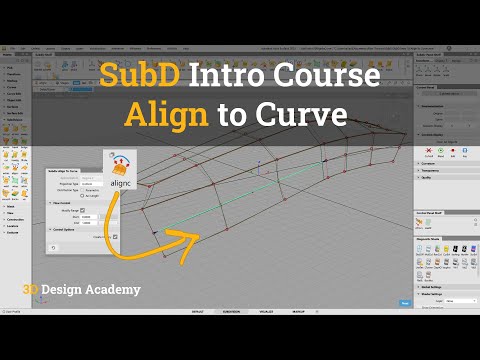
In the world of high-end industrial design and class-A surfacing, Autodesk Alias remains the industry standard software for creating sleek, precise, and complex 3D models. With the integration of subdivision (SubD) modeling, designers can now combine freeform organic shaping with exact mathematical curves faster than ever before. One essential technique for achieving clean geometric alignment is the SubD "Align to Curve" tool.
Understanding the Align to Curve Feature in SubD
Subdivision modeling allows for quick conceptualization and fluid shape exploration, but maintaining exact proportions and sharp aesthetic feature lines can sometimes be tricky. The Align to Curve functionality allows you to snap SubD control vertices (CVs) or edges directly onto a pre-existing target curve. This ensures your organic SubD geometry tightly adheres to your structural design intent without sacrificing smooth surface transitions.
Key Benefits for Industrial Designers
By incorporating this powerful feature into your Autodesk Alias workflow, you gain several distinct advantages:
- Speed and Efficiency: Instantly adjust complex SubD mesh geometry to follow intricate feature lines without manually tweaking individual control points.
- Hybrid Surfacing: Seamlessly blend classic curve-driven NURBS workflows with flexible, fast SubD meshes.
- Precision Topology: Keep your mesh clean and balanced while forcing boundary edges to match key reference curves or target sketch geometry accurately.
How to Apply Align to Curve in Your Workflow
Using the tool is straightforward once you understand the basic setup:
- Prepare Your Reference: Create or import the 2D or 3D guide curves that define your intended feature line.
- Select the SubD Geometry: Identify the SubD edges or CVs that need to conform to the curve.
- Activate and Adjust: Launch the Align to Curve tool from the SubD toolset, select your target curve, and fine-tune alignment parameters to achieve optimal continuity and flow.
Final Thoughts
Mastering SubD alignment tools in Autodesk Alias is a game-changer for digital sculptors looking to elevate both design speed and geometric accuracy. Whether you are drafting automotive concepts or refining consumer electronics, utilizing Align to Curve will help keep your models sharp, precise, and ready for further production refinement.


